Works offline
The app and its data are on your computer. No internet doesn't mean no clinic.
Patients, appointments, the waiting room and billing in one place. Denta runs on the clinic's own computer, so it keeps working when the internet is down.
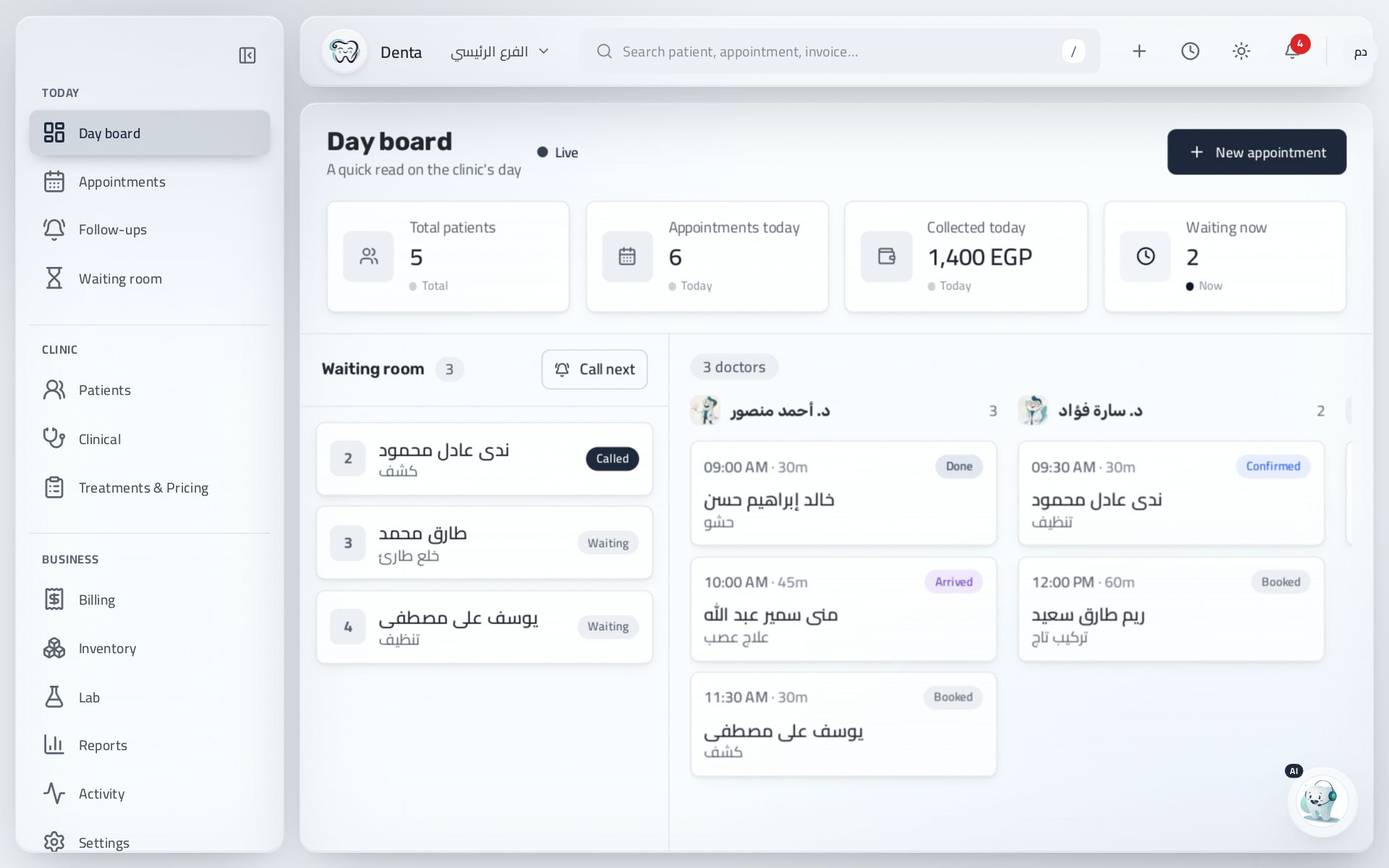
The app and its data are on your computer. No internet doesn't mean no clinic.
The full app in both languages. Switch any time.
Invoices, the cash drawer and reports are all in EGP.
One account for your computer and phone, on the same plan.
Real screenshots of the app. Pick a screen to see what it does.
The first screen you see. It shows what's happening in the clinic today.
From the first patient to closing the cash drawer, every step has a place in the app.
See today's appointments for each dentist, who needs a follow-up, and what you expect to collect.
The patient joins the waiting list and can follow their turn on their phone by scanning a QR code.
One button calls them in. The dentist writes notes and marks treatment on the tooth chart.
Treatment turns into an invoice. The patient pays all or part, and the rest shows on their file.
See what was collected, the expenses and each dentist's work in one report.
Everything is in the subscription. No paid add-ons.
Denta runs on the computer itself, so it doesn't stop when the internet does.
Personal details, medical history, treatment plans and notes.
A schedule per dentist, and a list of patients who need a follow-up.
Check patients in, call the next one, and show a waiting-room screen.
Patients scan a QR code and see their place in line from outside the clinic.
Invoices, payments and insurance claims, in Egyptian pounds.
Revenue, daily collections and each dentist's work.
Lab orders and supplies, with a warning when stock runs low.
Data is encrypted on the clinic's computer, and each staff member has set permissions.
Switch the app's language at any time.
Each staff member has permissions. Reception doesn't see financial reports unless you allow it.
Denta doesn't send patient data anywhere. Everything is kept on the clinic's computer.
There's no complicated setup. You can start the same day.
Sign up with your email and the clinic's name. The free trial starts right away.
The download link is on your account page. Install it on the clinic's computer or an Android phone.
Use the same email and password in the app, and it's ready to use.
Use your account on 3 devices. To change a device, remove the old one on your account page.
Pay monthly or yearly. The trial is free and you can cancel any time.
The first 14 days are free. You won't pay anything before the trial ends.
Yes. The app and its data are on the clinic's computer. Internet is only needed to activate and renew, and it keeps working without it for up to 30 days.
On the clinic's computer, encrypted. Patient data isn't sent to any server unless you turn on sync yourself.
By bank card or mobile wallet through Paymob. Prices are in US dollars, and you pay in Egyptian pounds.
Yes, at any time. The app keeps working until the end of the period you paid for.
No. The 14-day trial needs no payment details.
Remove the old device on your account page, then install the app on the new one and sign in.
The trial is free for 14 days and we don't ask for a card.